Article Structured Data: Fields, JSON-LD Examples & Best Practices
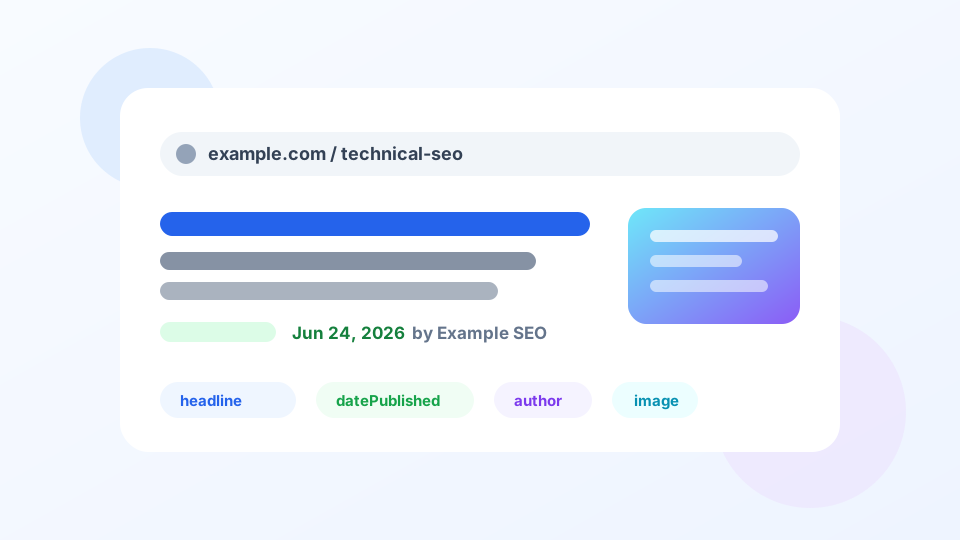
Article is one of the most commonly used structured data types, suitable for blog posts, news, guides, knowledge base articles, tutorials, and other article-style pages. Its goal is not to "gain rankings out of thin air," but to help Google more clearly understand this article's title, author, publication date, update date, main image, and page ownership, thereby more stably displaying title, date, and image information in search results.
What Pages Suit Article#
Google's Article documentation covers three common types: Article, NewsArticle, and BlogPosting. They all belong to article-like content but have slightly different semantics:
| Type | Suitable Pages | Usage Recommendation |
|---|---|---|
Article | General articles, guides, knowledge base, tutorials | Safest default choice |
BlogPosting | Blog posts, personal/brand columns | Good for clearly blog-contextual content |
NewsArticle | News reports, time-sensitive content, media releases | Only use when content is genuinely news |
MagicSEO articles are long-maintained tutorials and guides, not news reports, so we uniformly use Article. If your site is a news media outlet and the page is a news report, then consider NewsArticle.
What Search Appearance Can It Improve#
Article markup helps Google more clearly understand page content and better use article title, image, date, and author information in search results, Google News, Google Assistant, and other scenarios. It is not a switch that "guarantees rich result cards," but rather a way to pass article core metadata to Google in machine-readable format.
How to Fill Recommended Fields#
Google's current Article documentation emphasizes: add recommended properties applicable to the page. In practice, prioritize at least these fields:
| Field | Purpose | Filling Rules |
|---|---|---|
headline | Article title | Consistent with page H1 or main title, no keyword stuffing |
image | Article main image | Use real, visible, crawlable image on page; multiple ratios recommended |
datePublished | First publication time | Use ISO 8601 date or datetime |
dateModified | Last update time | Change only after substantive content updates, not daily auto-refresh |
author | Author | Use Person or Organization, consistent with visible byline |
publisher | Publisher | Usually website or brand organization, can include logo |
mainEntityOfPage | Canonical page for the article | Point to current page's canonical URL |
Among these, image is very important, but don't fake it just to fill the field. If the page has no real cover image, don't mark an image for now; systematically add cover images and visible image areas to articles later.
Complete JSON-LD Example#
Below is a common pattern for a tutorial article. In actual use, replace URL, title, date, image, and author with information truly visible on your page.
<script type="application/ld+json">
{
  "@context": "https://schema.org",
  "@type": "Article",
  "headline": "Website Speed Optimization: Core Web Vitals Practical Guide",
  "description": "Explains the meaning, detection methods, and common optimization techniques for LCP, INP, and CLS.",
  "image": [
    "https://example.com/images/site-speed-1x1.webp",
    "https://example.com/images/site-speed-4x3.webp",
    "https://example.com/images/site-speed-16x9.webp"
  ],
  "datePublished": "2026-06-24T09:00:00+08:00",
  "dateModified": "2026-06-24T09:00:00+08:00",
  "inLanguage": "en",
  "author": {
    "@type": "Person",
    "name": "John Doe",
    "url": "https://example.com/authors/john-doe"
  },
  "publisher": {
    "@type": "Organization",
    "name": "Example SEO",
    "logo": {
      "@type": "ImageObject",
      "url": "https://example.com/logo.png"
    }
  },
  "mainEntityOfPage": {
    "@type": "WebPage",
    "@id": "https://example.com/technical-seo/site-speed.html"
  }
}
</script>
Publication Date and Update Date#
Date fields are where Article markup is most easily misused. The correct principles are simple:
datePublishedis the date the article was first published and should not change repeatedly with minor edits.dateModifiedis the date of the last substantive update, such as adding sections, rewriting conclusions, updating policies or data.- Visible page date, structured data date, and sitemap
lastmodshould ideally maintain consistent definitions.
dateModified daily to make content look fresh when there's no substantive change in the body is a misleading signal. Dates should reflect real edit history.How to Mark Author#
The author field solves two questions: who wrote this article, and can users see this byline on the page?
| Scenario | Recommended Approach | Page Should Display |
|---|---|---|
| Individual author | Person + name + author page url | Author name and author page link |
| Editorial team | Organization or team page | Team byline, e.g., "MagicSEO Editors" |
| Multiple authors | author array | All authors visible |
If your site plans to strengthen E-E-A-T, consider creating author pages for individual authors and filling in the author page URL in Article structured data. This is more verifiable than a name alone.
How to Handle Image Fields#
Article's image is not any random image. It should be the article's actual main image or representative image and be crawlable by Google.
- Use absolute URLs for images; return 200 and not blocked by robots.txt.
- Images should be relevant to the article topic; avoid meaningless decorative images.
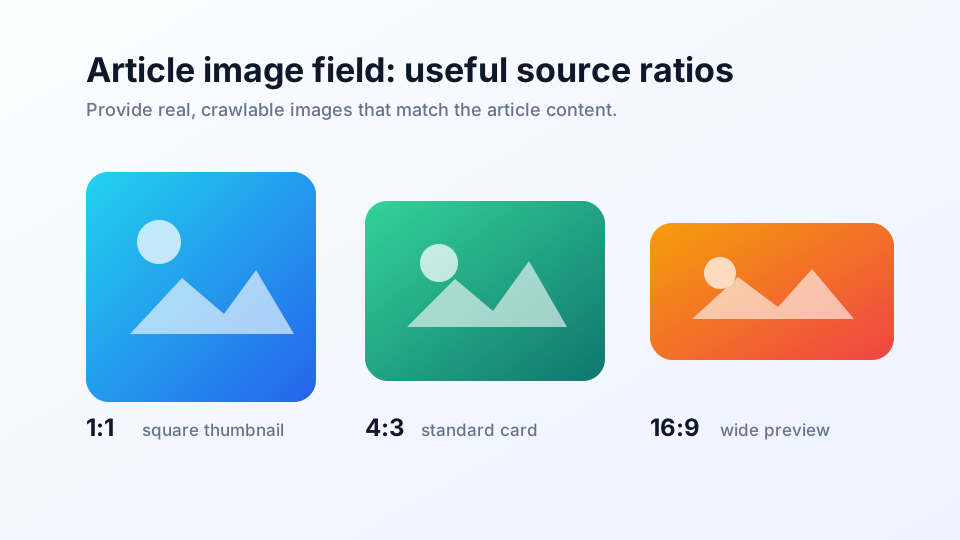
- Recommend preparing multiple ratios, e.g., 1:1, 4:3, 16:9, for cropping in different search scenarios.
- HTML should also display the corresponding image with reasonable
alt,width, andheight.
MagicSEO's current article pages don't have a unified cover image module, so this page's own Article markup doesn't fill in image. This isn't the ideal end state, but it better aligns with guidelines than marking a fake image users can't see. Later if article covers are added, both visible images and Article's image field should be completed together.
How This Page Demonstrates#
The page you're reading itself implements Article structured data. You can see three JSON-LD blocks from the page source: Article, BreadcrumbList, and FAQPage.
headline corresponds to the page H1, datePublished and dateModified correspond to visible dates, author corresponds to "MagicSEO Editors," and mainEntityOfPage points to this page's canonical URL. No image is marked because the current page has no real cover image area.How to Validate#
Follow this process before and after launch:
- Test URL or code snippet with Rich Results Test.
- Confirm Article / NewsArticle / BlogPosting is detected.
- Check if warnings come from missing recommended fields like
imageor author URL. - Use Search Console Rich Results Report to observe if site-wide article templates have batch errors.
- If templates uniformly output Article, spot-check different categories, different authors, and no-image/with-image articles.
Common Mistakes#
| Mistake | Consequence | Fix |
|---|---|---|
| Title inconsistent with H1 | Conflicting signals, affects understanding | Keep headline consistent or highly consistent with main title |
| Auto-refreshing dates | Misleading update time | Only update dateModified on substantive changes |
| Marking invisible authors | Violates visible content consistency principle | Display author on page or change to real visible byline |
| Using NewsArticle for ordinary marketing content | Type mismatch | Use Article or BlogPosting for general content |
| Images not crawlable | Search results cannot use images | Check image URL, robots, status code, and dimensions |
| canonical inconsistent with mainEntityOfPage | Canonical signal unclear | Both should point to the same canonical URL |
Article Launch Checklist#
- Page is indeed article-style content
- @type selects the most appropriate among Article / BlogPosting / NewsArticle
- headline consistent with page main title
- author consistent with visible byline on page
- datePublished is first publication date
- dateModified changes only after substantive updates
- mainEntityOfPage points to canonical URL
- Fill in image when there is a real visible main image
- image is crawlable, relevant, preferably multiple ratios
- Validate with Rich Results Test without errors
- Monitor template-level issues in Search Console after launch
Frequently Asked Questions#
How do I choose between Article, NewsArticle, and BlogPosting?
Ordinary blog posts, guides, and knowledge base articles can use either Article or BlogPosting; news releases and time-sensitive news from media outlets are better suited for NewsArticle. The key is not to chase more advanced types but to match the type to the actual page content. MagicSEO tutorial articles use Article.
Is image required for Article structured data?
Google's current Article documentation emphasizes adding recommended properties applicable to the page rather than listing hard required fields. image is a very important recommended field, especially affecting image display in search results; if the page has no real, visible, and crawlable cover image, do not fabricate one just to fill the field.
Will Article markup get my page into Google News?
No. Article or NewsArticle markup helps Google better understand article title, author, date, and image, but it does not guarantee inclusion in Google News or Top stories. Google News eligibility also depends on site, content quality, policy compliance, and other news-related signals.
Can I use Organization when there is no individual author?
Yes. If an article is published on behalf of a team or organization, author can use Organization; if there is a clear individual byline, prioritize Person and provide the author page URL. Whether using Person or Organization, it must match the user-visible byline on the page.